> For the complete documentation index, see [llms.txt](https://docs.offsecguy.com/cve/llms.txt). Markdown versions of documentation pages are available by appending `.md` to page URLs; this page is available as [Markdown](https://docs.offsecguy.com/cve/infor/vulnerability/insecure-direct-object-references-idor.md).
# Insecure direct object references (IDOR)
Infor Global HR 11.24.10.01.33 and prior are affected by an Insecure Direct Object Reference (IDOR) vulnerability.
## Insecure Direct Object Reference (IDOR):
Infor Global HR 11.24.10.01.33 and prior versions are affected by an Insecure Direct Object Reference (IDOR) vulnerability that exposes sensitive pay information. The issue occurs through modification of the `EmployeeID` parameter in a GET request. Exploitation requires authentication.
## Description:
The Insecure Direct Object Reference (IDOR) vulnerability has been identified in Infor Global HR v11.24.10.01.33 and prior. This issue resides in the Employee Compensation View functionality of the application. It occurs due to improper authorization checks and insecure handling of user-supplied input in the `EmployeeID` parameter of the following URL:
{% hint style="warning" %}
/lmhcm\_in4prd1/EmployeeSelfService/form/Employee(<`EmployeeID`>).LRCEmployeeViewCompensation?menu=LRCEmployeeMenu.ViewCompensation
{% endhint %}
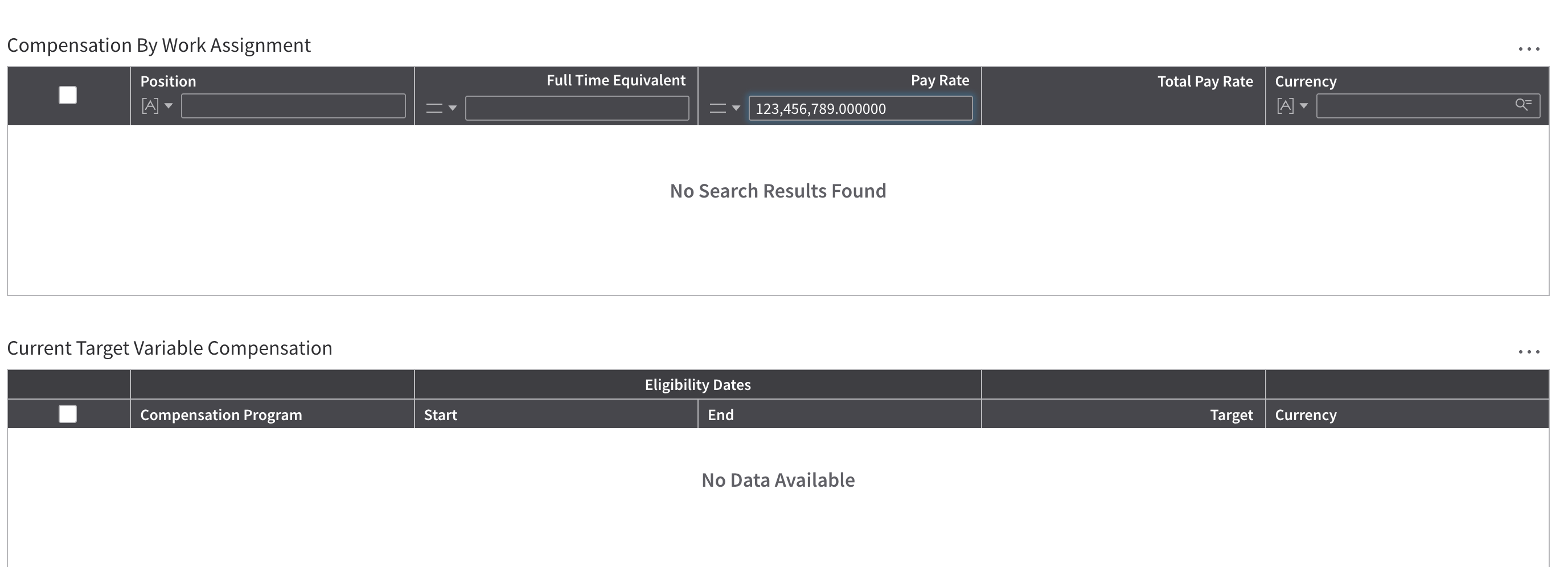
By modifying the `EmployeeID` value in the request, authenticated users are able to access compensation information for other employees. While the compensation web page itself does not display full details by default, it includes a search function that accepts a “Pay Rate” value.
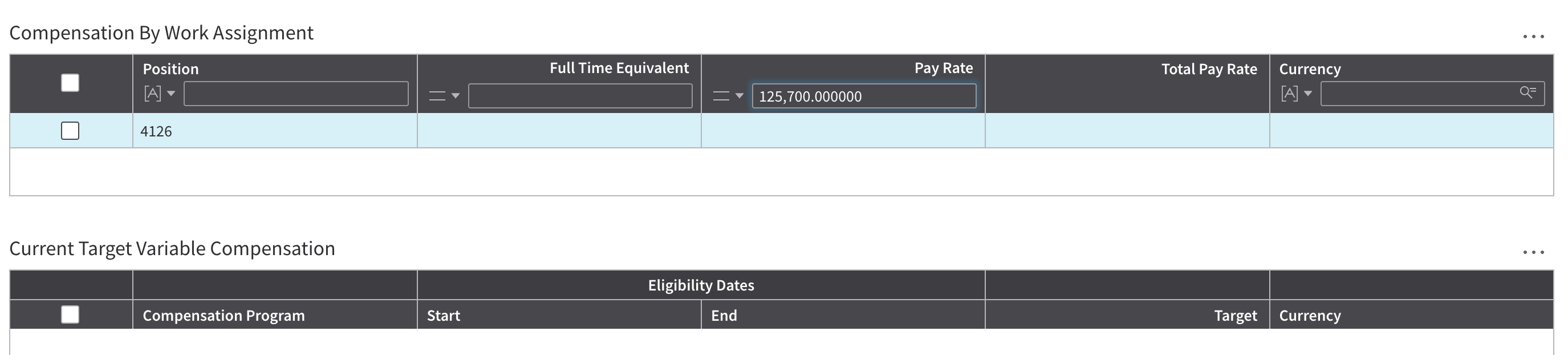
When the correct pay rate is entered for a given employee ID:
* The application reveals the employee’s position number in the UI.
* The HTTP response length/size differs compared to an incorrect guess.
Because incorrect pay rates produce no change in the UI while correct values reveal employee details and modify the response, an attacker can brute-force or systematically guess pay rates. This allows enumeration of sensitive compensation data for arbitrary employees.
## Exploitation:
* Within the UI:
* Modify the `EmployeeID` within the GET request to the target's ID
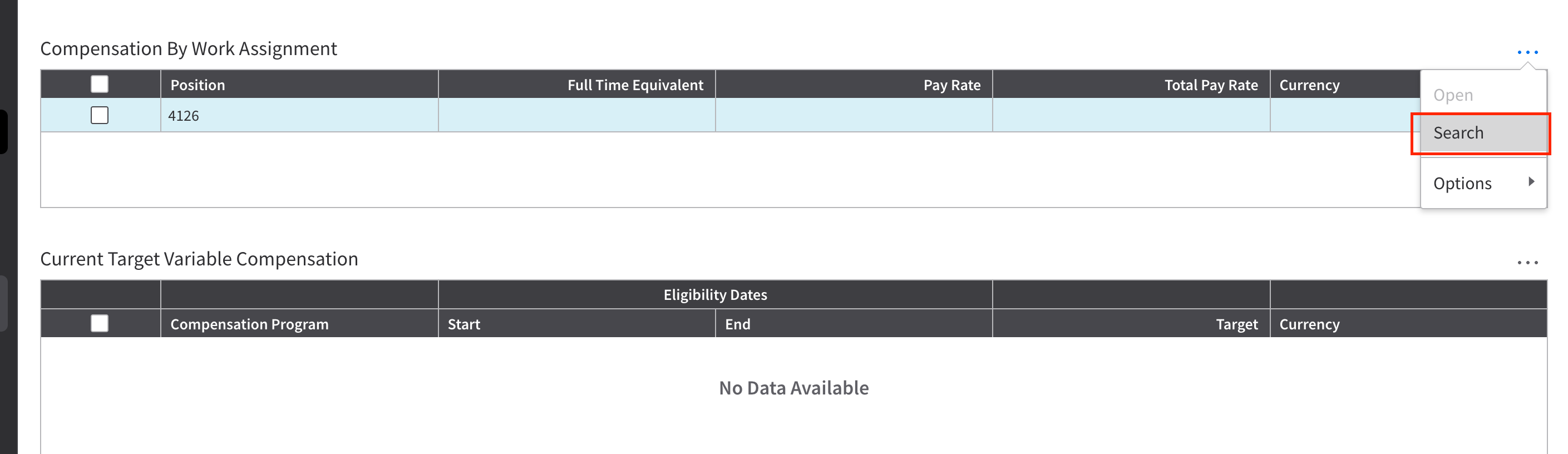
* Search Compensation by Work Assignment
* Enter new Pay Rate until the UI displays a position number, indicating the correct Pay Rate has been entered
* Using a Proxy:
* Modify the `EmployeeID` within the GET request to the target's ID
* Search Compensation by Work Assignment
* Target the PayRate and irritate through a list of numbers
* Once the correct Pay Rate has been entered notice the increase in response byte size
## Example 1:
View the authenticated users compensation:
Modify the Employee ID value:
Search Compensation By Work Assignment:
Search for possible Pay Rates:
Correct Pay Rate being entered:
## Example 2:
Compare the response sizes to determine the correct Pay Rate: